
GourceView
Repository history, animated
Replays a public GitHub repository's commits as a growing file tree, with the people behind them. When the history reaches today it rewinds and plays again.
Git Visualizer turns your Mac's screen saver into GourceView and Git City: repositories growing as living file trees, and GitHub profiles built into animated 3D cities.
Version 1.1 · Free · macOS 14 Sonoma or later
Apple silicon and Intel · Notarized by Apple

The screen saver alternates between the two, starting with a random one, and crossfades to a new repository or GitHub profile every minute. Each display gets its own shuffled playlist.
Replays a public GitHub repository's commits as a growing file tree, with the people behind them. When the history reaches today it rewinds and plays again.
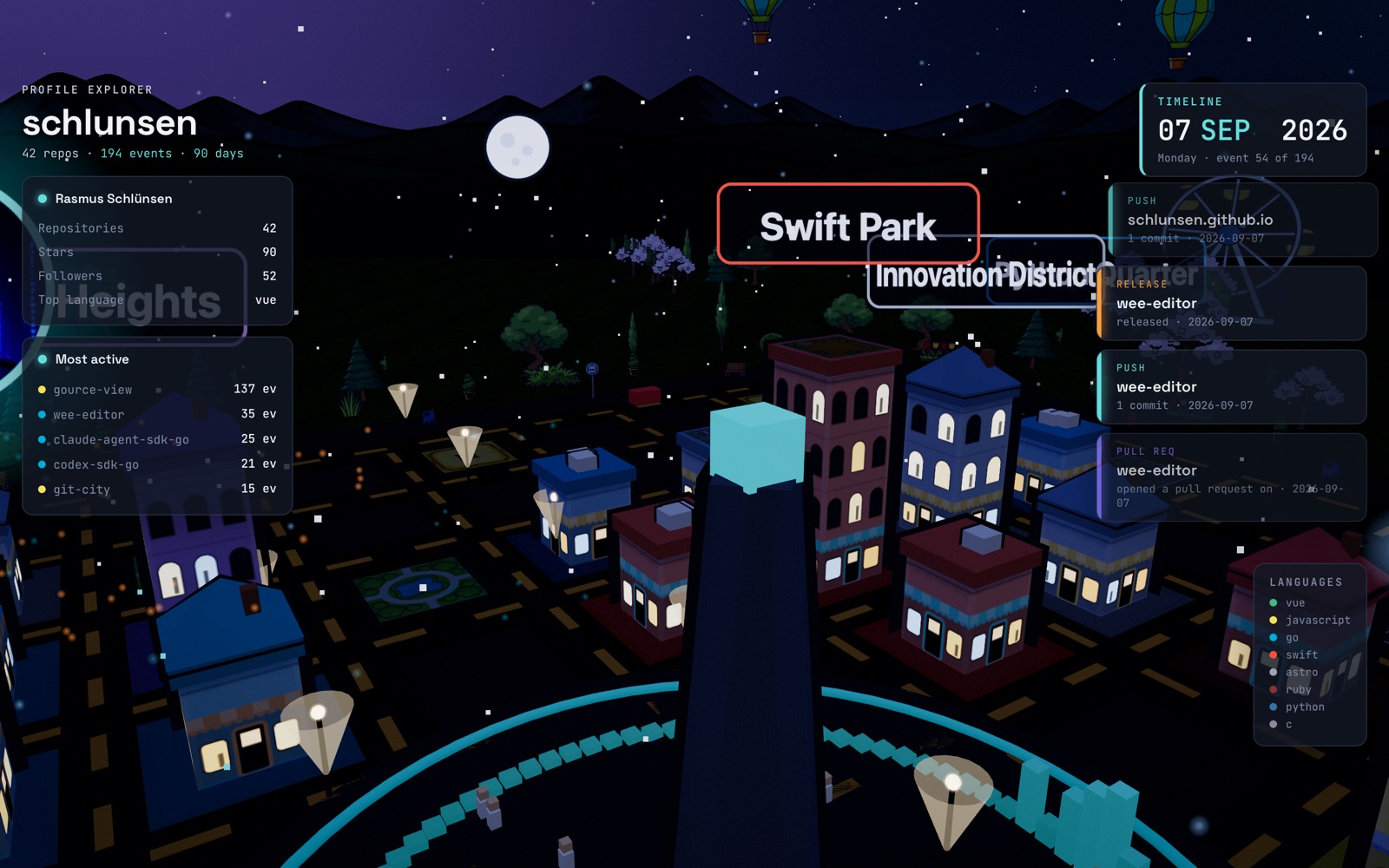
Builds a 3D city from a user's public repositories and plays back their last 90 days of activity, with cinematic fly-through tours, weather, and day and night.
Runs edge to edge on each screen, with the web controls hidden so only the visualization and its info panels show.
The next scene loads behind the current one and fades in once it's ready, so you never see a loading page.
Pick the GitHub users and repositories to show, or keep the featured ones.
Set Git City's time of day, weather and old-TV look, and GourceView's playback speed from 0.5× to 4×.
Never plays sound. Any key or mouse movement wakes your Mac as usual.
Signed with a Developer ID and notarized by Apple, so macOS opens it without warnings.
Git Visualizer.saver.Git Visualizer.saver. System Settings asks whether to install it for you or for all users.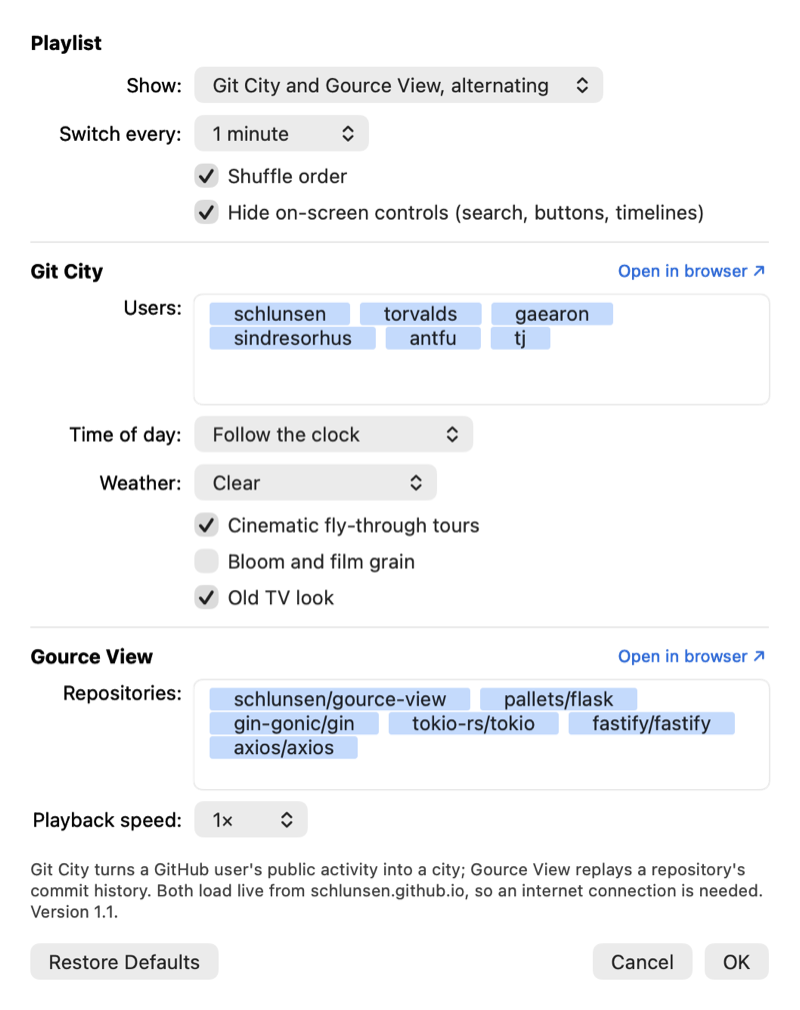
Yes. It's free to download and use.
Yes. Both visualizers load live from GitHub Pages, and repository histories and profiles come from GitHub.
Macs with macOS 14 Sonoma or later, on Apple silicon or Intel.
A screen saver has to be installed into the system's screen saver folder, and the Mac App Store only allows apps that are fully self-contained. It's distributed here instead, signed with a Developer ID and notarized by Apple.
Yes. Open System Settings › Screen Saver, choose Git Visualizer, click Options… and type GitHub usernames and owner/repo names. Public repositories only.
In System Settings › Screen Saver, Control-click Git Visualizer and choose Delete. Or remove ~/Library/Screen Savers/Git Visualizer.saver.